

Bet9ja Web Shop in Nigeria: Features and How to Use It
🎯 Discover Bet9ja Web Shop features, easy registration, secure payments, bonuses, and support for Nigerian bettors. Enjoy safe, seamless online sports betting today!
Bet9ja's mini app offers a practical alternative for sports betting enthusiasts in Nigeria who want speed and simplicity without sacrificing the core features of the main platform. Unlike the full Bet9ja app or website, this mini app is designed to be light on data usage and easy to load on basic smartphones, which many Nigerians own.
The app focuses on fast access to popular betting markets like football, basketball, and local Nigerian leagues, helping users place bets quickly even when their internet connection is patchy. For example, a Lagos-based bettor using limited mobile data can still navigate through live scores and place wagers without waiting ages for pages to load.

A key benefit is its reduced size—usually under 5MB—which makes it quicker to download and install. This is especially helpful in areas with slow network speeds or during times when data bundles are expensive. The mini app still allows users to register an account, deposit funds, place bets, and request withdrawals, so it covers most essential functions without the bulk.
Many Nigerian bettors prefer the mini app because it balances usability with economy, requiring less storage space and data compared to the main Bet9ja app.
The interface is straightforward and user-friendly, featuring simple menus and large buttons that make navigation easier on smaller screens. Notifications about match results and promotions can also be received directly, keeping users informed without heavy data consumption.
Bet9ja mini app works well on Android smartphones, which dominate Nigeria’s mobile market, and there are ongoing efforts to optimise it for iOS devices. Registration is straightforward—users only need to provide basic details and verify their phone number, simplifying account setup compared to options that require complex documentation.
Overall, the mini app fills a practical gap for millions of Nigerians who want an affordable, fast, and reliable betting option. Whether you’re commuting in a danfo or settling down after work at a local mama put, the Bet9ja mini app offers convenient access to the excitement of sports betting without demanding too much from your phone or data plan.
Bet9ja stands as one of Nigeria’s leading sports betting platforms, widely favoured for its broad selection of markets and competitive odds. Launched in 2013, the platform quickly became iconic among Nigerian bettors due to its ease of use and trustworthy reputation. Beyond football, Bet9ja includes options on basketball, tennis, and even live betting, making it a versatile choice for sports fans across the country.
Bet9ja's strength lies in its Nigerian roots and vast user base, offering localised experience with simple navigation. The platform allows users to place bets on a wide range of events, from local Nigerian leagues to international competitions. It's not only popular for sports betting but also runs casino games, virtual sports, and pools betting. For many Nigerians, Bet9ja has become synonymous with accessible, affordable betting.
The Bet9ja Mini App was introduced to make betting quicker and smoother, especially for users handling limited data or using older devices. Its simplified user interface strips down unnecessary design clutter, focusing on essential functions. For example, instead of multiple tabs and flashy menus, the Mini App presents a clean layout where users can quickly find popular matches and place bets with just a few taps. This makes it ideal for users less comfortable with complex app navigation.
The Mini App also boasts faster loading times on data-limited networks, a practical bonus where internet connectivity can be patchy or expensive. If your MTN or Airtel network struggles in your area, the Mini App still loads quickly because it uses fewer images and less background data. This feature is crucial for users outside major cities or those relying on limited internet bundles.
Another key feature is its focus on core betting functions without extra bloat. Unlike the full Bet9ja app, which includes extras like live streaming or deep casino options, the Mini App centres on placing standard bets efficiently. This makes the app lighter, faster, and less prone to freezing or crashing—an advantage when betting on short notice, say during a sudden goal in a football match.
One noticeable difference is the smaller file size of the Mini App. While the full Bet9ja app can take up over 50MB, the Mini version typically occupies less than 10MB. For Nigerians facing storage limitations on affordable or older smartphones, this smaller size means they don’t have to clear important apps or photos to try Bet9ja.
Alongside this is less data consumption. Because the Mini App avoids heavy images and video content, it uses significantly less internet data. This is a practical advantage in Nigeria, where data costs can be a barrier. A bettor can place multiple bets without worrying about depleting their data bundle quickly.
Lastly, the Mini App is optimised for entry-level smartphones common in Nigeria. Devices like Tecno, Infinix, or older Samsung models often struggle with larger apps. The Mini App runs smoothly on these phones, preventing lag and frequent crashes and improving overall user experience. This optimisation means more Nigerians can join in the fun, even without the latest gadgets.
The Bet9ja Mini App addresses real Nigerian challenges, combining simplicity, speed, and efficiency for a seamless betting experience.
The Bet9ja Mini App offers unique advantages that resonate well with many Nigerian bettors, especially those who face network or device limitations. It delivers core betting features while being mindful of data and storage constraints common among mobile users in Nigeria. Below, we explore key benefits that make the mini app a practical choice.
One clear benefit is reduced data consumption. Unlike the full Bet9ja app which demands larger downloads and continuous data use, the mini app is streamlined to minimise internet traffic. For example, a user betting in Lagos with a limited 2GB monthly data plan can stretch their browsing and betting activities much further using the mini app. The smaller file size also means less storage space on phones, which is helpful for those using entry-level or older phones with limited memory.
The mini app’s lighter design translates into faster loading times. This is particularly useful during high-traffic sporting events where odds can change rapidly. Using the mini app means you avoid lag or delays that can cost you the chance to place a timely bet. This agility can make all the difference during matches like the Nigerian Professional Football League (NPFL) games.
Many Nigerians rely on modest smartphones and often connect via unpredictable mobile networks. The Bet9ja Mini App is built to offer essential functions without the frills that slow down or crash apps on such devices. Whether you’re in Kaduna, Ibadan, or a rural area where 2G or weak 3G coverage is common, you can still enjoy smooth betting experiences.

Security is vital when dealing with online betting and payments. Bet9ja employs encryption protocols to protect users’ personal and financial data during transactions on the mini app. They also monitor accounts for suspicious activities, locking accounts temporarily if unusual betting patterns or unauthorized logins are detected. This layer of protection gives users confidence that their funds and data remain safe.
Users should strengthen their account security by choosing strong, unique passwords and updating them regularly. Avoid sharing login credentials or clicking unknown links claiming to be from Bet9ja to prevent phishing scams. Activating two-factor authentication (2FA), if available, adds an extra defence tier. Regularly checking your account activity and promptly reporting any anomalies to Bet9ja customer support can prevent larger issues.
Using the Bet9ja Mini App not only reduces your data and storage burdens but also improves your speed on the betting platform while keeping your account safe. It is a solid option for anyone serious about betting efficiently and securely in Nigeria.
Downloading and installing the Bet9ja Mini App correctly is key to enjoying its benefits — fast performance and low data use especially important in Nigeria's variable network conditions. Knowing the system requirements, installation steps, and how to solve common problems helps avoid frustration and ensures smooth use from the start.
The Bet9ja Mini App is designed for Android smartphones, especially entry-level and mid-range devices common in Nigeria. It requires Android version 5.0 (Lollipop) or higher to work effectively. Since the app uses less storage and data than the full Bet9ja app, it works well even on devices with limited memory (about 15MB free space is enough).
For iOS users, the mini app is less common, so betting via the mobile browser or main Bet9ja app might suit better. Also, a stable 3G or 4G connection improves betting speed, though the mini app remains usable on weaker networks thanks to its optimisation.
Always download the Bet9ja Mini App from the official Bet9ja website to avoid fraudulent versions. Direct links are usually provided on the site homepage or under a dedicated 'Mobile Apps' section. Downloading here guarantees you get the latest, most secure app version free from malware or scams common with third-party sites.
Ensuring you grab the app from the official source also means you benefit from regular updates and trustworthy customer support if you need help during installation or use.
During installation, the app requests permissions to access certain phone functions — like storage for saving data and network access for placing bets. Allowing these permissions is necessary for the app to function properly. However, Bet9ja limits requests to essential permissions only, keeping your privacy secure.
If you deny permissions, the app may fail to install or crash during use, frustrating your betting plans. You can check and manage permissions anytime in your phone's settings under 'Apps'.
Once installation completes, verifying that the Bet9ja Mini App works correctly is important. Open the app to see if it loads to the login screen without errors. If the interface appears fast and responsive, it means the app functions as expected.
You may also want to place a small test bet or browse markets to confirm reliable connectivity. Should problems arise here, reinstalling the app or clearing your phone’s cache often helps.
Low storage is a common issue on many Nigerian phones, especially old or tokunbo models. If the app won’t install, check your device’s free space via 'Settings > Storage'. Deleting old photos, unused apps, or clearing cache can free enough room.
Clearing WhatsApp media or moving files to an SD card also helps. Bet9ja Mini App’s small size means 15-20MB free should suffice, but more space prevents hiccups during updates.
Errors like "App not installed" usually happen when an existing Bet9ja version conflicts with the new mini app. Uninstalling the full Bet9ja app first resolves this. Also, enabling 'Unknown Sources' in security settings is necessary if installing via APK rather than Google Play Store.
Corrupted downloads cause installation failures. So, ensure a steady internet connection and download from the official site to avoid partial or damaged files.
Keeping the Bet9ja Mini App updated ensures you enjoy new features, bug fixes, and better security. The app should notify you when a new version is available.
Updates are small files designed not to hog your data. Ignoring updates might lead to slow performance or access issues because older versions lose support. You can also manually check the official Bet9ja site for the latest version periodically.
Taking these steps seriously prevents common installation headaches and ensures you get the full benefits of using the Bet9ja Mini App to bet easier and faster in Nigeria.
Getting started with the Bet9ja Mini App is the first step for anyone looking to dip into Nigeria’s popular sports betting scene from their phone. This part covers how to create an account, place bets, and manage funds smoothly. Mastering these basics helps you avoid common pitfalls and get the most from the platform with ease.
Required personal information: When signing up for Bet9ja Mini, you’ll be asked to provide some personal details like your full name, date of birth, and a valid phone number. This information helps ensure your account is registered correctly and prevents underage gambling, which is illegal in Nigeria. For example, entering incorrect details can delay withdrawals or block your account if detected.
Verifying phone number and identity: Your phone number is crucial because Bet9ja uses it to verify your identity through an OTP (one-time password). Confirming your phone number adds a layer of security and helps with password recovery if you forget your login details. In some cases, you may also need to upload a valid ID, such as your National Identification Number (NIN) or driver’s licence, to comply with Nigerian regulations.
Navigating available betting markets: The Mini App simplifies access to various betting markets, from football leagues like the NPFL to international matches. You’ll find categories like live betting, virtual sports, and more. Being familiar with this layout means you can quickly find your favourite sports or markets without wasting data or time on unnecessary pages.
Selecting bets and stake amounts: After choosing a market, you pick your bets by tapping on odds displayed. Then, enter your stake—the amount of money you want to wager. For instance, if you expect a close match, you might bet ₦500 on a draw. The app calculates your potential winnings instantly, so you always know your risk versus return.
Confirming and tracking bets: Once you decide, confirm your bet by tapping the relevant button. The Mini App then logs your bets, letting you follow match progress and results within the app. Real-time updates ensure you’re never in the dark about your wagers, which is especially handy during live betting when odds shift quickly.
Depositing funds: To place bets, you need money in your Bet9ja wallet. The Mini App supports several payment methods popular in Nigeria, like bank transfers, USSD codes, and local payment platforms such as Paystack or Flutterwave. For example, you can quickly deposit ₦1,000 via USSD without visiting a bank or ATM.
Withdrawing winnings: When luck swings your way, withdrawing becomes the next step. The Mini App streamlines this by allowing you to request payouts directly to your Nigerian bank account. Bet9ja usually processes withdrawals within 24 to 48 hours, but this can depend on your bank’s turnaround times.
Checking transaction history: Keeping track of deposits, bets placed, and withdrawals is vital for managing your betting budget responsibly. The Mini App offers a clear transaction history where you can review your financial activity anytime. This feature helps prevent overspending and ensures transparency in all your betting operations.
Starting right with account setup and wallet management makes your Bet9ja Mini App experience safer and more enjoyable, giving you full control over your betting journey.
Getting the best out of the Bet9ja Mini App means more than just placing bets. Understanding how to use promotions, practice responsible betting, and handle technical issues can improve both your enjoyment and safety while betting. These tips help you avoid common pitfalls and make your betting experience smooth and rewarding.
Bet9ja regularly offers bonuses and promotions that can boost your betting value. For example, welcome bonuses on first deposits or weekly cashback promos can significantly increase your betting power. It’s vital you read the terms carefully—understand any wagering requirements or restrictions tied to these offers. Don’t just chase bonuses blindly; instead, combine them with your betting strategy. For instance, you can use a free bet on markets you are confident about to stretch your stakes without risking extra money.
One crucial way to stay in control is by setting betting limits. The Bet9ja Mini App often allows users to set daily, weekly, or monthly deposit limits. This safeguards you from spending more than you can afford, especially during busy times like ember months when spending tends to go up. By fixing a budget, you avoid the stress of chasing losses and keep your betting fun instead of a financial burden.
It’s easy to make quick bets on impulse, especially when your team is playing live or rumours start flying around. But impulsive bets often lead to losses because they are not based on solid analysis. Take time to study the available markets, check recent form or statistics, and avoid betting when emotionally charged or distracted. For example, instead of betting immediately after a goal or drastic event in a match, pause, consider all factors, then decide wisely.
Having the Bet9ja support contacts handy is essential. Should you face difficulties like failed deposits or login problems, reaching out directly through the app’s customer support section gets you faster help. You can contact them via live chat, email, or phone, depending on your preference. Quick response from support prevents frustration and lets you continue betting without delay.
If the app behaves strangely—freezing, crashing, or showing incorrect balances—reporting these bugs immediately is important. Providing details like device type, app version, and the issue helps Bet9ja fix problems quicker. Keeping your account secure also means alerting support promptly if you notice unusual activity or suspect your login details are compromised. Tackling these issues early reduces risks of losing funds or missing out on bets.
Remember, using the Bet9ja Mini App smartly and responsibly leads to a better, safer betting experience. These tips serve as practical guides to help you enjoy the platform fully while protecting your interest.
🎯 Discover Bet9ja Web Shop features, easy registration, secure payments, bonuses, and support for Nigerian bettors. Enjoy safe, seamless online sports betting today!
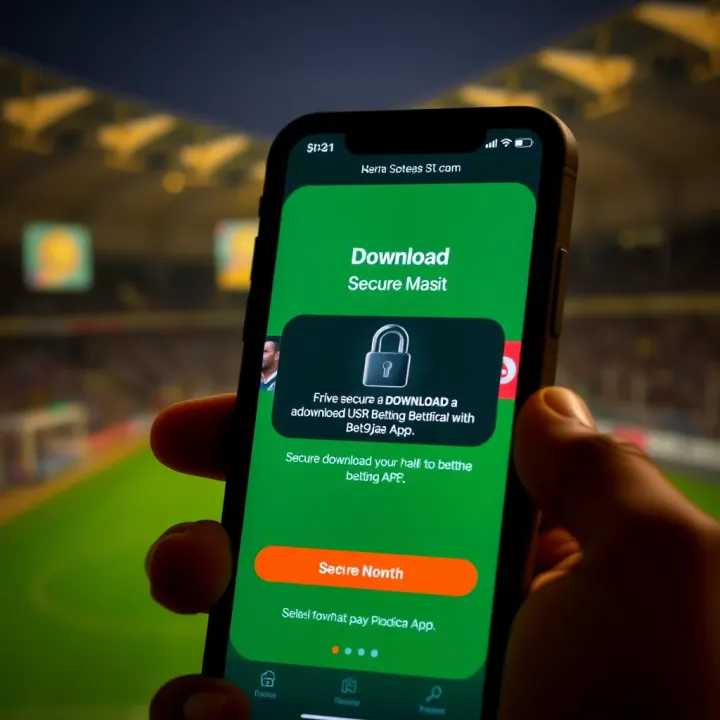
📲 Learn how to download and install the NGR Bet9ja app safely in Nigeria. Get tips on system needs, security, and smooth mobile betting for a winning experience! 🏆

📲 Want the latest Bet9ja app? Learn step-by-step how to download and install it safely on your phone. Discover new features, update tips, and fix common issues fast!
📱 Discover how Bet9ja Lite app offers simple, fast betting with easy payments, top security, and step-by-step guidance for Nigerian users. Bet responsibly and win ₦!
Based on 10 reviews